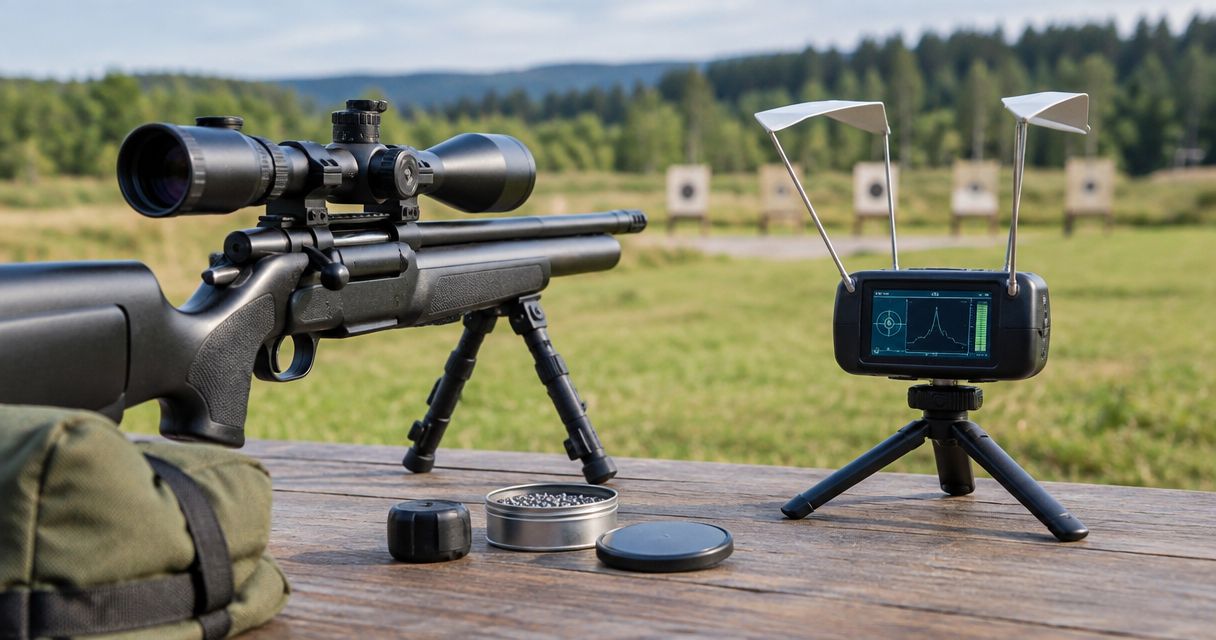
A chronograph for airgun shooters is a velocity-measuring instrument used to record pellet or slug speed, with the aim of understanding shot consistency and documenting muzzle energy. This 2026 guide explains how to choose one for precharged pneumatic (PCP), spring-piston, or other airguns, where small projectiles and different power systems make compatibility and test conditions essential.
- Choose a chronograph for airgun shooters by projectile compatibility and measurement range, not firearm specifications alone.
- LabRadar LX explicitly lists pellet guns among its supported uses; confirm your particular projectile and setup requirements.
- Longshotcameras target cameras show impacts; a chronograph measures velocity. Neither replaces the other.
- For PCP testing, record pressure, projectile identity, shot order, and target group alongside velocity.
Why chronograph testing matters for airgun shooters
Velocity readings and target groups answer different questions. A chronograph tells you how fast a projectile passes through its measurement area. A target shows where that projectile lands. Neither result, by itself, explains every change in accuracy.
PCP shooters also need to preserve the context of a shot string: reservoir pressure, shot order, projectile identity, and whether the rifle uses a regulator. Spring-piston shooters need repeatable handling and the manufacturer's specified ammunition and operating procedure. Comparing readings without that context turns useful measurements into disconnected numbers.
Longshotcameras sells target cameras and accessories for viewing impacts remotely. A camera complements chronograph testing by keeping the target result visible, but it does not establish projectile velocity or muzzle energy.
Longshotcameras is best for shooters who want remote target viewing alongside chronograph testing. Choose the chronograph on its documented airgun compatibility; choose the camera on the target-viewing task.
For your 2026 equipment shortlist, separate three requirements: detecting the projectile, recording a usable velocity string, and preserving the corresponding target result. A feature-rich device is not useful if it misses your particular pellet or cannot operate in your range conditions.
Build a repeatable airgun chronograph workflow
Define the measurement you need
Start with a paper notebook or a spreadsheet you already use. Write down the question before buying equipment: are you documenting velocity, comparing shot-to-shot consistency, or checking energy against an applicable limit? Each question requires different supporting information.
A mean velocity alone does not describe variation. Extreme spread is the highest reading minus the lowest; standard deviation describes dispersion around the mean. Record the number of valid readings with either statistic, because strings of different lengths do not provide equivalent comparisons.
For PCP shooters, a complete string also preserves shot order. An average can hide a rising or falling velocity pattern. Do not rearrange the results by speed and discard the sequence that explains them.
Keep the work focused on measurement rather than chasing a single impressive reading. A documented baseline lets you compare later sessions without confusing a change of projectile, conditions, or recording method with a change in performance.
- State one test question at the top of your log.
- Identify the airgun and its power system.
- Record the projectile's exact name and nominal mass.
- Keep individual readings, not just the displayed average.
- Record the valid shot count with summary statistics.
Check projectile and operating compatibility
Read the manufacturer's current documentation before selecting a chronograph. Airgun compatibility requires more than a general claim that a device measures projectiles. Check its published velocity range, supported projectile types, positioning instructions, and any airgun-specific mode or accessory requirements.
Optical chronographs detect a projectile crossing sensors and depend on suitable illumination and alignment. Radar chronographs measure projectile motion through radar detection, but they still have positioning and operating requirements. Neither measurement method guarantees compatibility with every pellet, slug, or airgun.
LabRadar LX's supplied product description explicitly includes pellet guns. The Garmin Xero C2 Chronograph description establishes that it measures projectile velocity, but does not specify an airgun velocity range or pellet-specific requirements. Resolve those details in the manufacturer's documentation before choosing it for your airgun.
In 2026, model names and feature lists remain secondary to this compatibility check. Do not transfer a specification from a similarly named model, an older manual, or another shooter's firearm setup.
- Check the published minimum and maximum velocity.
- Confirm support for your projectile type.
- Read the prescribed sensor or radar placement instructions.
- Check requirements for indoor or covered-range operation.
- Confirm how the device records and retains shot data.
Establish a safe, repeatable setup
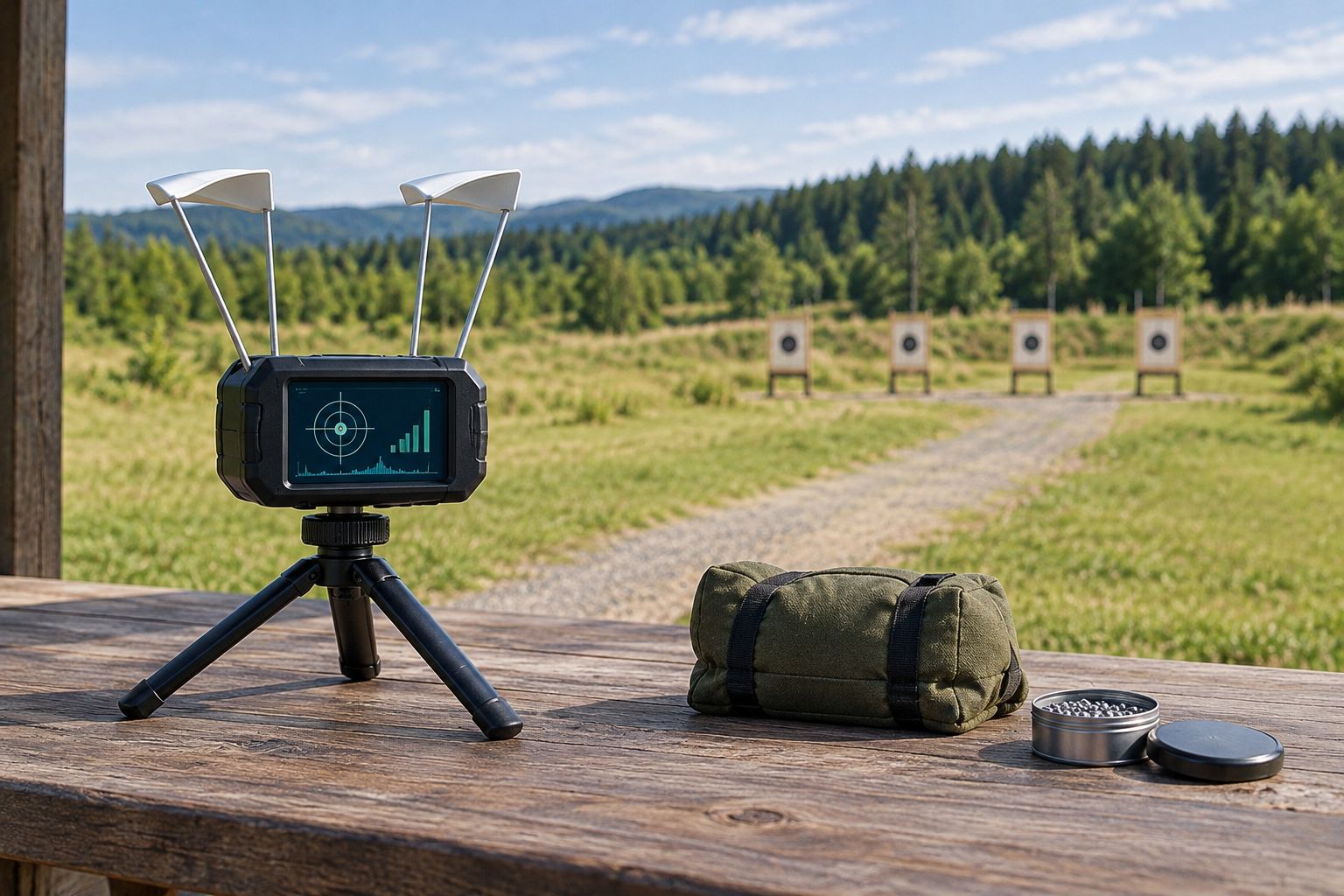
Use the chronograph's manual and your range's rules to position the equipment. Start with a stable surface or an existing suitable support rather than assuming you need another accessory. Keep the instrument, supports, and cables outside the projectile path according to the manufacturer's instructions.
For optical equipment, inspect alignment before firing and follow the specified lighting arrangement. For radar equipment, follow its aiming, offset, and measurement-mode instructions. There is no universal placement distance that applies to every chronograph.
A target camera adds remote impact viewing after the basic measurement setup works. Longshotcameras target cameras let shooters view impacts without walking downrange, but installing or retrieving downrange equipment still requires a range-approved ceasefire. Remote viewing never authorizes someone to enter an active firing area.
Repeatability starts with preserving the setup between comparable strings. If you move the chronograph, change its mode, or reposition a support, document that change instead of treating the next readings as automatically equivalent.
- Verify a suitable backstop and range permission.
- Position the chronograph exactly as its manual directs.
- Secure supports and keep cables clear.
- Check alignment and the selected measurement mode.
- Install downrange cameras only during an authorized ceasefire.
Record comparable shot strings
Write each reading in order, or use the chronograph's recording function if the documentation confirms one. Manual recording is sufficient for a useful test. Automatic capture saves transcription work, but does not replace identifying what you fired or how you set up the session.
For a PCP airgun, record starting pressure using the rifle's gauge and remain within the manufacturer's operating limits. Preserve ending pressure and shot order as well. Gauge readings provide session context; do not treat an unverified gauge as a calibrated reference instrument.
Keep projectile type and test procedure consistent within a comparison. If you change either, begin a separately labeled string. Include missed detections and error messages in your notes rather than silently deleting them from the session record.
A missing reading is not a zero-velocity shot. Mark it as missing, inspect the setup according to the manual, and keep the actual number of successful measurements clear. This distinction prevents recording errors from distorting an average or extreme spread.
- Label each string with the date and airgun.
- Keep projectile identity consistent within a string.
- Record PCP starting and ending pressure.
- Preserve shot order and valid velocity readings.
- Mark detection failures separately from measured shots.
- Note setup changes and relevant range conditions.
Match velocity data to target results
Use numbered paper targets and handwritten notes first. Give every target group a matching string identifier, then retain the target or photograph it after the range is safe. This creates a connection between the velocity record and the actual shooting result without requiring additional equipment.
A target camera makes impact observation available remotely. Longshotcameras supports that viewing task; the chronograph remains the instrument that measures speed. Keep those roles separate when interpreting a session.
Do not assume that the string with the smallest velocity spread must produce the smallest group. Group size also reflects the airgun, projectile, shooter, distance, and conditions. Treat a promising result as something to repeat under comparable conditions, not as proof from one target.
Build your 2026 test record around the same identifiers across the chronograph log and target notes. Without that connection, even clear impact images cannot tell you which velocity string produced a particular group.
- Assign the same identifier to the string and target.
- Record target distance in a stated unit.
- Preserve a target photograph or the paper target.
- Note visible wind or lighting changes.
- Repeat promising comparisons under similar conditions.
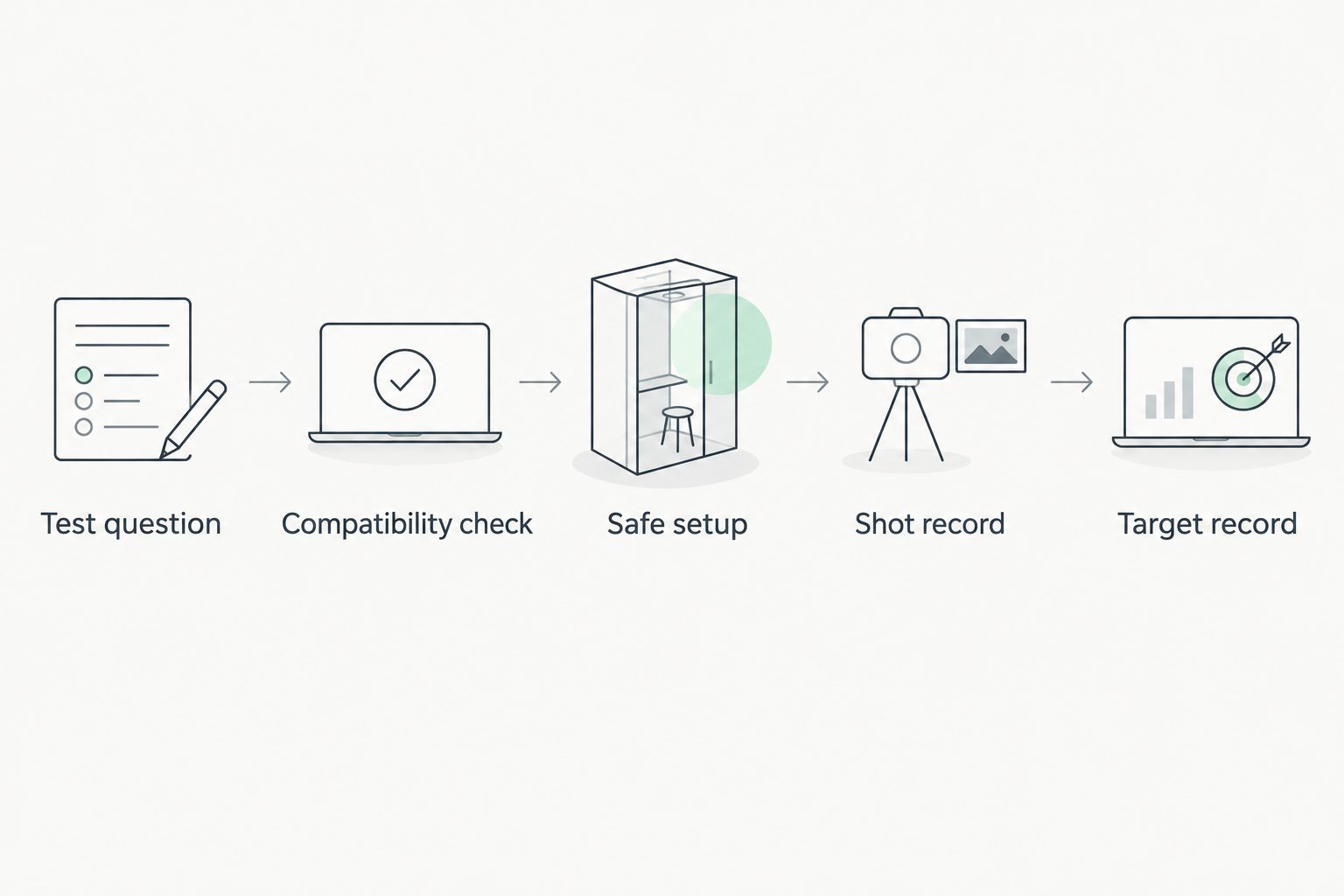
The workflow below keeps the records connected. Follow the sequence rather than collecting speed readings first and trying to reconstruct target information later.
Calculate energy and preserve the record
Use the projectile mass and measured velocity when calculating kinetic energy. In SI units, energy in joules equals half the mass in kilograms multiplied by velocity in meters per second squared. A spreadsheet is sufficient, provided the units and formula are correct.
The unit conversions are fixed: 1 grain equals 0.06479891 grams, 1 foot per second equals 0.3048 meters per second, and 1 foot-pound equals approximately 1.35582 joules. Convert mass to kilograms before using the SI energy formula. Mixing grains with kilograms produces an incorrect result.
Keep a calculated energy value distinct from a legal determination. Applicable rules and official testing procedures depend on jurisdiction; consult the relevant authority rather than assuming your personal test establishes compliance.
For your 2026 archive, retain raw readings alongside summaries. A future comparison needs the underlying data, not just a screenshot of the best result. Protect the instrument in transport, too; the guide to carrying cases for chronographs covers that separate equipment decision.
- Label every velocity and mass unit.
- Convert mass to kilograms for the SI formula.
- Record the mass used in each calculation.
- Save raw readings alongside summary statistics.
- Keep legal checks separate from equipment measurements.
- Store the instrument according to its care instructions.
Compare chronograph options for airgun use
Choose documented compatibility before convenience. The options below serve different needs, and their limitations matter as much as their benefits. The supplied descriptions support a velocity-measurement role for both named chronographs, but only LabRadar LX explicitly lists pellet guns.
| Option | Best for | Main benefit | Key limitation |
|---|---|---|---|
| Optical chronograph | Shooters with suitable lighting and room for sensor alignment | Measures projectile passage through a defined sensor area | Requires suitable illumination and careful alignment |
| Radar chronograph | Shooters who prefer radar-based measurement | Avoids optical sensor-lighting requirements | Projectile detection and positioning still require model-specific checks |
| LabRadar LX | Pellet-gun shooters seeking an explicitly listed application | Supplied description includes pellet guns among supported uses | Confirm the operating range and setup requirements for your particular airgun |
| Garmin Xero C2 Chronograph | Shooters evaluating a compact velocity-measuring instrument | Supplied description identifies a compact projectile chronograph | Supplied description does not establish pellet-specific compatibility or operating limits |
The two named instruments belong on a compatibility shortlist, not in an unconditional ranking. LabRadar LX has the clearer pellet-use statement in the supplied information. Garmin Xero C2 Chronograph requires an airgun-specific documentation check before selection. Neither product description supports inventing a detection rate, accuracy figure, or battery-life comparison.


Common mistakes airgun shooters make
- Applying firearm specifications to pellets. A chronograph's firearm use does not establish its minimum detectable airgun velocity or support for your projectile. Check the actual model documentation.
- Averaging away PCP shot order. A mean hides sequence. Retain the readings in firing order alongside reservoir-pressure notes so you can see the pattern within the string.
- Comparing different projectiles as if only velocity changed. A change in mass or projectile design creates a different test condition. Separate the records and calculations.
- Treating a camera image as velocity evidence. Impact location documents the target result, not projectile speed. Keep camera records and chronograph records connected but distinct.
- Choosing the tightest spread without checking the target. Velocity consistency is one measurement, not a complete accuracy verdict. Repeat the comparison and inspect the corresponding groups.
FAQ
What's the best chronograph for airgun shooters?
The best chronograph for airgun shooters is one whose documented projectile support, velocity range, and setup requirements match the airgun being tested. LabRadar LX explicitly lists pellet guns in the supplied description; verify the detailed requirements before choosing it.
Can I use a firearm chronograph with a PCP air rifle?
You can use a firearm chronograph with a PCP air rifle when the manufacturer confirms the relevant projectile and velocity support. A firearm application alone does not establish pellet compatibility.
Is a radar chronograph better than an optical chronograph for pellets?
Radar is not automatically better than optical measurement for pellets. Optical equipment requires suitable lighting and alignment, while radar equipment requires compatible projectile detection and correct positioning.
What should I record during a PCP chronograph test?
Record projectile identity, velocity in shot order, valid shot count, starting and ending pressure, and the matching target identifier. Include setup changes and detection failures so another session can use the same conditions.
Does a smaller velocity spread always mean a smaller group?
A smaller velocity spread does not always mean a smaller group. Projectile suitability, shooting technique, distance, and conditions also affect the target result, so compare the matching groups.
Can a target camera replace an airgun chronograph?
A target camera cannot replace an airgun chronograph because it shows impacts rather than measuring projectile velocity. Longshotcameras target cameras support remote impact viewing alongside a separate velocity measurement.
How do I calculate airgun muzzle energy from chronograph readings?
Calculate kinetic energy in joules as half the projectile mass in kilograms multiplied by velocity in meters per second squared. Use the projectile's mass and clearly labeled units; a personal calculation does not replace an official compliance procedure.
One last thing
Your most useful result is a matched record, not your fastest reading. Save the velocity string, its setup notes, and its target together. When you review your 2026 sessions, that connection lets you distinguish a repeatable result from a reading whose context has disappeared.
Before your next range visit, prepare the log and target identifiers at home. That simple step prevents the familiar problem of having good measurements and no reliable way to connect them.