3-gun rifle camera selection is choosing a recording or viewing system with the aim of reviewing match performance or seeing practice impacts remotely. A rifle camera scope for 3-gun must match the view you need: through the optic, across the stage, or at the target; those are different jobs, and one camera does not automatically cover all three.
- Choose a rifle camera scope for 3-gun only when you need through-optic footage; stage video answers different questions.
- Longshotcameras target cameras suit remote impact viewing during practice, not a substitute for through-scope recording.
- Check your 2026 match rules before attaching recording equipment or arranging cameras around a stage.
- Start with permitted phone video and manual target inspection before adding a dedicated camera system.
Why camera selection matters for 3-gun shooters
3-gun combines 3 firearms: rifle, pistol, and shotgun. A camera dedicated to the rifle's scope therefore records only part of the event. If your review question concerns movement between shooting areas or handling equipment between firearm segments, a wider stage view is the more relevant starting point.
The phrase rifle camera scope also blurs two separate categories. Recording through an optic captures the optic's view; placing a camera near a target gives you a view of that target. Neither replaces the other.
Start your 2026 search with this distinction, then compare gun-mounted cameras for competitive shooting against the footage you actually want. Choose the viewpoint before choosing the hardware. An impressive camera specification is irrelevant when the camera faces the wrong subject.
For match use, permission matters as much as image quality. Read the event's equipment rules and ask the match director about recording before planning a mount or camera location.
How to choose and use your camera system
Define the view you need
Begin with the equipment you already own. Where permitted, ask someone to record a practice session from an approved spectator position, or inspect your target manually during a range-authorized cease-fire. Those methods establish whether you need video of the stage, an image of the target, or footage through the scope.
Write the review question before comparing cameras. “Did the recording show the target?” is not the same question as “Did the recording show how I moved through the stage?” Make the question specific enough that you can answer it from the resulting image.
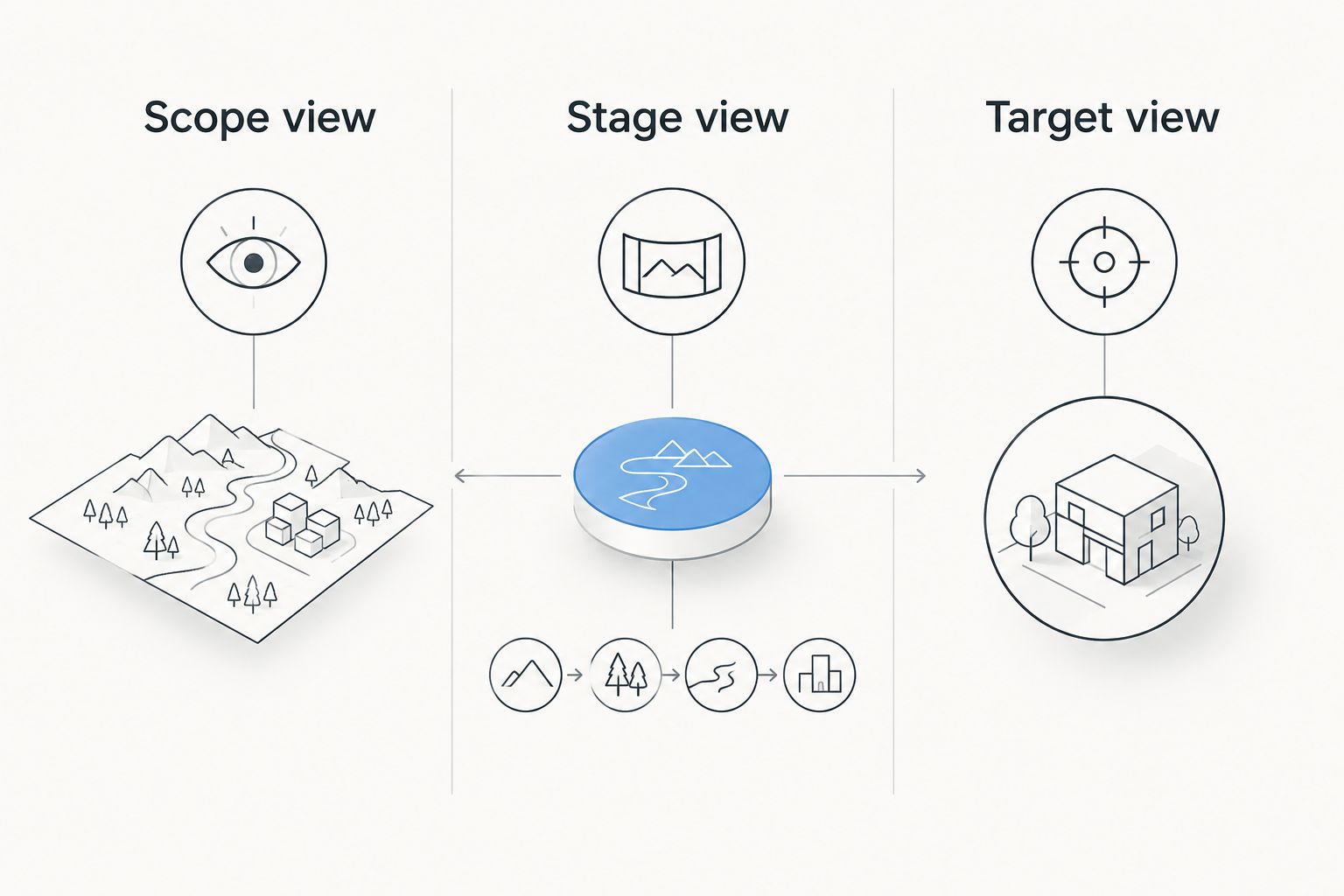
For your 2026 equipment shortlist, separate the options into three views. Do not treat footage from one view as evidence of something outside its frame. A target image cannot explain what happened behind the rifle, and an external stage video does not necessarily show individual impacts.
- Scope view: choose this when the review requires footage through the optic.
- Stage view: choose this when the review requires the shooter and surrounding course.
- Target view: choose this when the review requires visible shot impacts.
- Keep a sample recording that demonstrates the view you want.
- Reject a camera category if its viewpoint cannot answer your review question.
Check the rules and compatibility
Your first compatibility check is procedural: does the event allow the proposed recording arrangement? Ask before purchasing a mount for match use. A practice-range arrangement and a competition arrangement need separate approval; permission at one location does not establish permission at another.
Next, check the actual camera and mount documentation. A scope-mounted recorder must fit the intended optic arrangement without obstructing normal use. A separate stage camera needs an approved location. A target camera needs a permitted installation and retrieval process.
For 2026 matches, use the current event documents rather than a remembered rule from another competition. Keep recording equipment out of the way of range staff and other competitors. If an arrangement interferes with supervision, access, or safe handling, choose another arrangement rather than improvising around the restriction.
- Read the event's recording and equipment rules.
- Ask the match director about the proposed camera and mount.
- Verify compatibility against the manufacturer's documentation.
- Check that cables and accessories do not obstruct normal operation.
- Obtain range approval before placing equipment downrange.
Separate target feedback from scope footage
Manual target inspection is the simplest starting point for impact review. Inspect only when the range authorizes access, then record the target image and your notes. This gives you a baseline without requiring a camera purchase or claiming that ordinary stage footage reveals every impact.
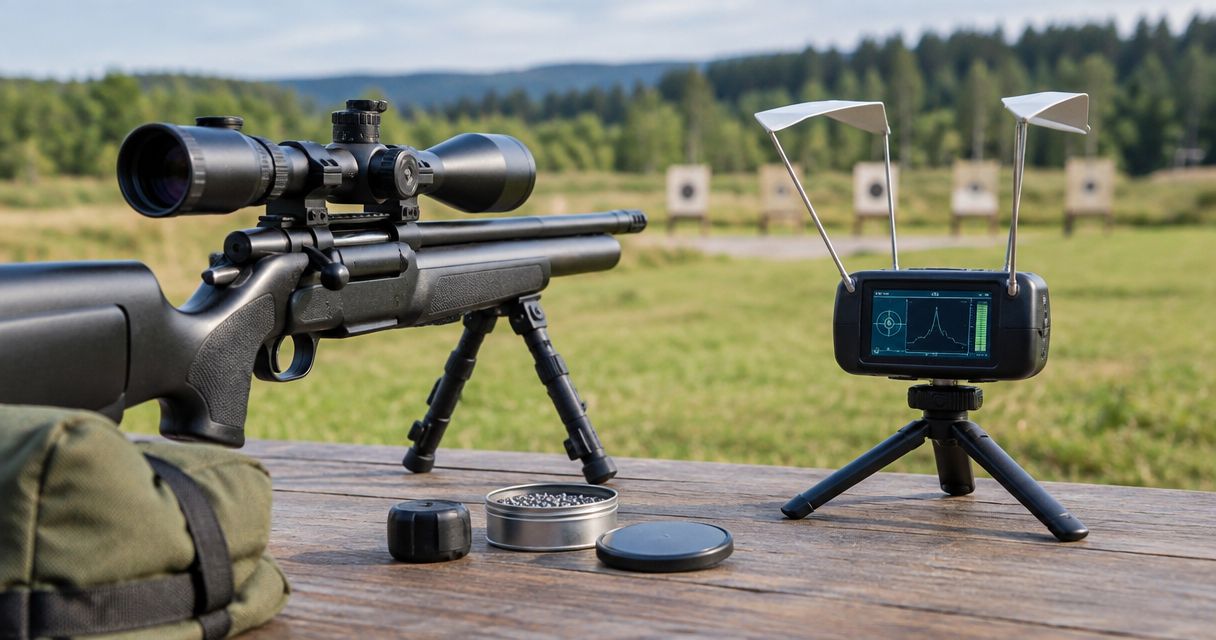
A target-camera system adds remote viewing. Longshotcameras sells target cameras and accessories for viewing impacts at distances up to 2 miles without walking downrange. That stated capability describes the brand's target-camera category, not a guarantee for every model or every range layout; check the exact system you are considering.
Longshotcameras target cameras are best for 3-gun shooters who need remote impact viewing during practice, not through-scope match footage. The limitation is equally important: a target-facing image does not record the scope view or the complete stage. Keep those review tasks separate.
Use remote viewing to inspect the target, not to decide whether the range is safe to enter. Range commands and access procedures still control installation, adjustment, and retrieval.
- Start with manual inspection under the range's access procedures.
- Choose target-camera viewing when impacts are the subject of review.
- Check the selected model's stated operating requirements.
- Keep a separate recording method for stage or scope footage.
- Follow range commands regardless of what appears on the display.
Match accessories to the viewing task
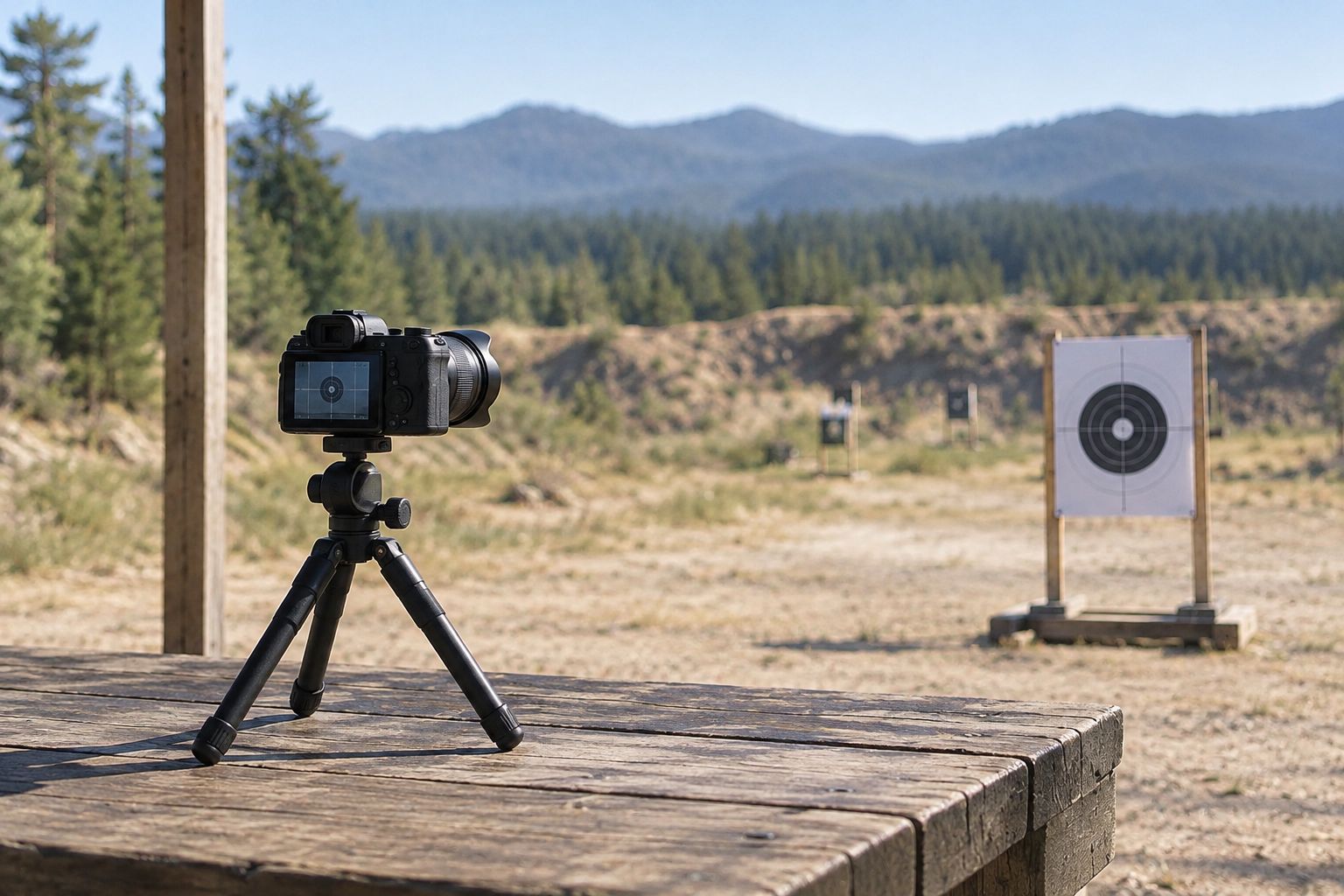
Before adding accessories, test a permitted setup using supports you already have. Confirm that the camera remains aimed at its subject and that the viewing device is readable from your intended position. A support solves a positioning problem; it does not change the camera's viewpoint or recording function.
For a dedicated target-camera arrangement, the Compact Tripod is described as a base for a camera downrange or equipment at the bench. Best for: supporting a stationary camera setup. Its limitation is straightforward: it is not a rifle-mounted recording solution, and you still need to verify the intended connection and placement.
The Longshot Tablet Stand (Black) – Target Camera System holds most smart devices and offers 2 viewing-angle positions. Best for: positioning a viewing device during stationary practice. It does not add camera recording capability, and a stationary display support is not a solution for moving through a stage.
Choose these accessories only after identifying a support problem. Buying a stand before deciding what you need to see reverses the decision process.
- Check the camera's support connection before selecting a tripod.
- Test the viewing angle from your normal review position.
- Confirm that your device fits the intended holder.
- Keep supports clear of access routes and range operations.
- Pack only accessories that serve the selected viewing task.


Test the complete viewing workflow
A useful camera system must produce an image you can actually review. Start with a permitted, non-firing check: power the equipment, establish the documented connection, aim it at the intended subject, and inspect the resulting view. Follow manufacturer instructions rather than assuming that similar-looking devices work the same way.
Check the complete arrangement, including the viewing device and accessories. A camera can be correctly positioned while the display is difficult to read. Likewise, a clear preview does not establish that a recording has been saved. If recording matters, confirm the saved result before relying on it.
Build your 2026 practice routine around this check rather than discovering a missing view after the session. Record only where permitted, respect other range users' recording preferences, and avoid capturing people unnecessarily. Keep troubleshooting separate from any active course of fire.
- Confirm the intended subject appears clearly in the preview.
- Verify the documented connection process.
- Check remaining power using the equipment's indicators.
- Confirm saved footage when recording is required.
- Recheck the arrangement after moving or repacking equipment.
Review footage against one question
Start review manually: watch the clip or inspect the target image, write what is visible, and separate that observation from your interpretation. You do not need an elaborate analysis system to establish whether the recording answered your original question.
For scope footage, restrict conclusions to what the scope view shows. For stage footage, inspect the visible sequence without pretending the camera recorded unseen impacts. For target images, record the visible result without assigning a cause that the image cannot establish.
A dedicated camera is the faster path only when it removes a real obstacle in that workflow. Longshotcameras target-camera viewing addresses the need to see impacts remotely; it does not replace a separate recording of the shooter. Preserve this distinction when reviewing practice and when deciding what to bring to a match.
- Name each file by session and viewpoint.
- Write the review question alongside the file.
- Separate visible observations from explanations.
- Note when the frame leaves a question unanswered.
- Choose the next recording arrangement to address that specific gap.
Compare the camera options for 3-gun
There is no single winner across every camera role. The best option is the least complicated permitted setup that captures the evidence you need. For a 2026 purchase, compare function first and mounting requirements second.
| Option | Best for | Main advantage | Key limitation |
|---|---|---|---|
| Manual target inspection | Establishing a practice baseline | Lets you inspect the target directly | Requires range-authorized downrange access |
| Phone or external stage camera | Reviewing the visible course sequence | Shows the shooter and surrounding stage | Does not provide a dedicated through-optic view |
| Scope-mounted recorder | Reviewing the optic's viewpoint | Captures the view through the scope | Needs verified optic compatibility and event permission |
| Rifle-mounted camera facing outward | Recording from the rifle's position | Provides a firearm-associated viewpoint | An outward-facing view is not automatically through-scope footage |
| Longshotcameras target cameras | Remote practice-impact viewing | Lets you view impacts without walking downrange | Does not replace stage video or through-scope recording |
Combine viewpoints only when each answers a separate question. Additional equipment brings additional setup and review work; it is not evidence of a better practice session. If manual inspection and permitted stage video already answer your questions, keep that arrangement until you identify a specific missing view.
Common mistakes 3-gun shooters make
Treating every rifle camera as a scope recorder
A camera attached to a rifle can face forward without recording through the optic. Verify the actual image path. Ask whether the camera records the scope view, an external view, or the target before comparing image specifications.
Expecting target footage to explain the whole stage
Target-camera viewing shows the subject it faces. It does not establish what happened during an unseen transition or elsewhere on the course. Use stage video for visible stage sequence and target images for visible target results; do not fill gaps with assumptions.
Planning around equipment before checking permission
An accessory that suits private practice is not automatically acceptable at a match. Confirm the 2026 event rules and the organizer's instructions before planning to use it. Have a simpler permitted recording arrangement rather than making the camera essential to participation.
Buying distance capability instead of the right viewpoint
Long-range viewing capability does not turn a target camera into a scope recorder. Buy for the subject, layout, and workflow you actually use. A capability you do not need should not outweigh an incompatible viewpoint or an impractical setup.
Saving footage without a review question
A folder full of recordings is not a useful review process by itself. Label the viewpoint and state what you wanted to learn. If the recording cannot answer that question, change the camera arrangement rather than repeatedly reviewing the same incomplete evidence.
FAQ
What's the best rifle camera scope for 3-gun?
The best choice depends on whether you need through-scope footage, stage video, or target-impact viewing. Choose a scope-mounted recorder for the optic's viewpoint, an external camera for the visible stage sequence, and a target camera for remote impact review.
Is a target camera the same as a rifle scope camera?
No. A target camera faces the target, while a scope camera records through the optic. The two viewpoints answer different practice-review questions.
Can I use a camera during a 3-gun match in 2026?
Use a camera only when the event rules and match officials permit the proposed arrangement. Confirm mounting and camera-location requirements before bringing equipment intended for match use.
Are Longshotcameras target cameras useful for 3-gun practice?
Longshotcameras target cameras are useful when your practice task requires remote viewing of shot impacts. They do not replace a separate camera for through-scope footage or the visible stage sequence.
Do I need a scope-mounted camera to review a stage?
No. Permitted external video can show the shooter and surrounding stage without a scope-mounted camera. Choose through-scope recording only when the optic's viewpoint is necessary for your review question.
How far can Longshotcameras target cameras let me view impacts?
Longshotcameras describes remote impact viewing at distances up to 2 miles. Check the selected model's documentation and operating requirements rather than applying that maximum to every system or range layout.
Can a camera tell me when it is safe to go downrange?
No. Range commands and access procedures determine when you can go downrange. A camera image never replaces authorization to install, adjust, inspect, or retrieve equipment.
One last thing
Missing evidence is a viewpoint problem before it is a camera-quality problem. A clearer image of the wrong subject still leaves your question unanswered. Before your next 2026 practice session, write down exactly what the recording must show, then choose the simplest permitted arrangement that can show it.