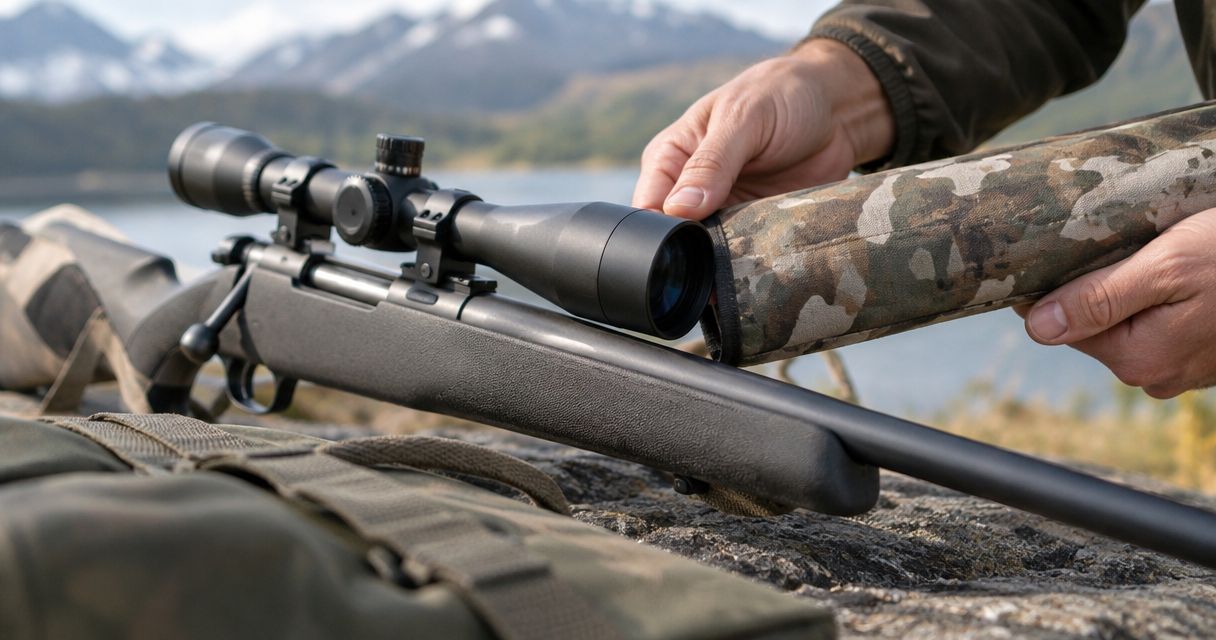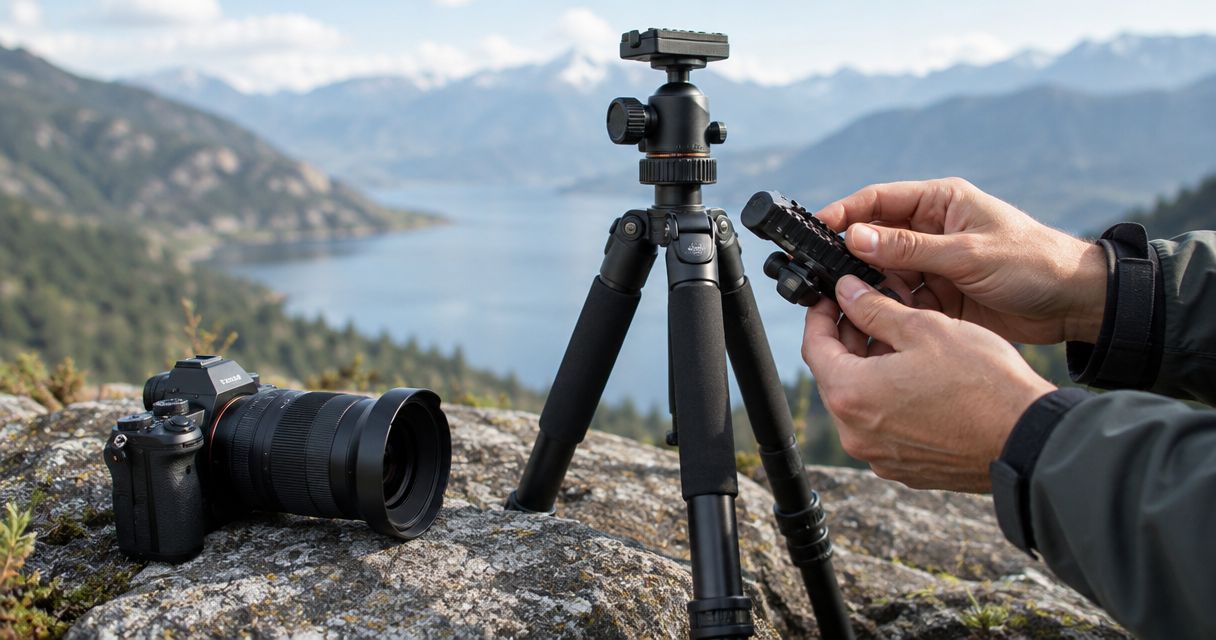
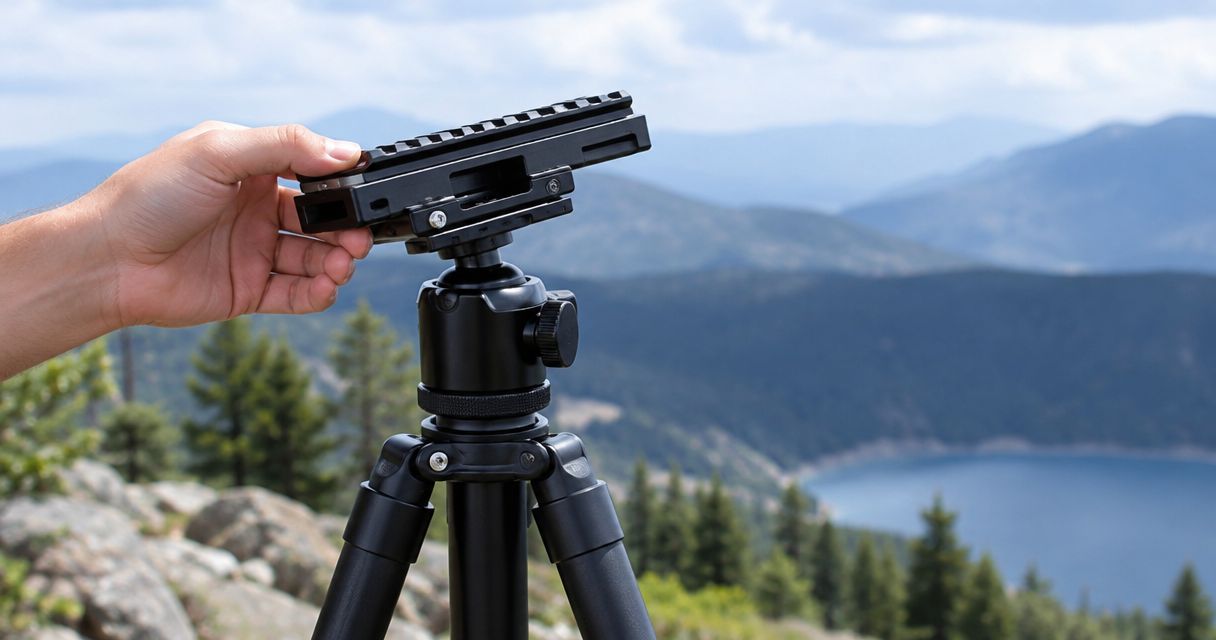
A Picatinny rail to tripod adapter works by joining a rail-style attachment to a tripod’s mounting interface, creating a supported connection between the accessory and the tripod head. One side engages the Picatinny interface; the other connects through a compatible thread or mounting plate, so your 2026 setup depends on matching both ends—not just finding a clamp that looks right.
- How does a Picatinny rail to tripod adapter work? It connects a rail-style accessory to a compatible tripod mount.
- Match the rail interface and tripod connection separately; a secure fit on one side does not establish compatibility.
- Longshotcameras is best for shooters shopping for target cameras and related range accessories.
- An adapter changes the mounting interface, not the tripod’s load capacity or the accessory’s operating requirements.
How does a Picatinny rail to tripod adapter work?
The adapter provides a mechanical bridge. Its rail connection holds the accessory, while its tripod connection transfers that accessory’s weight to the tripod head and legs. Both connections must lock securely before the assembly is ready to use.
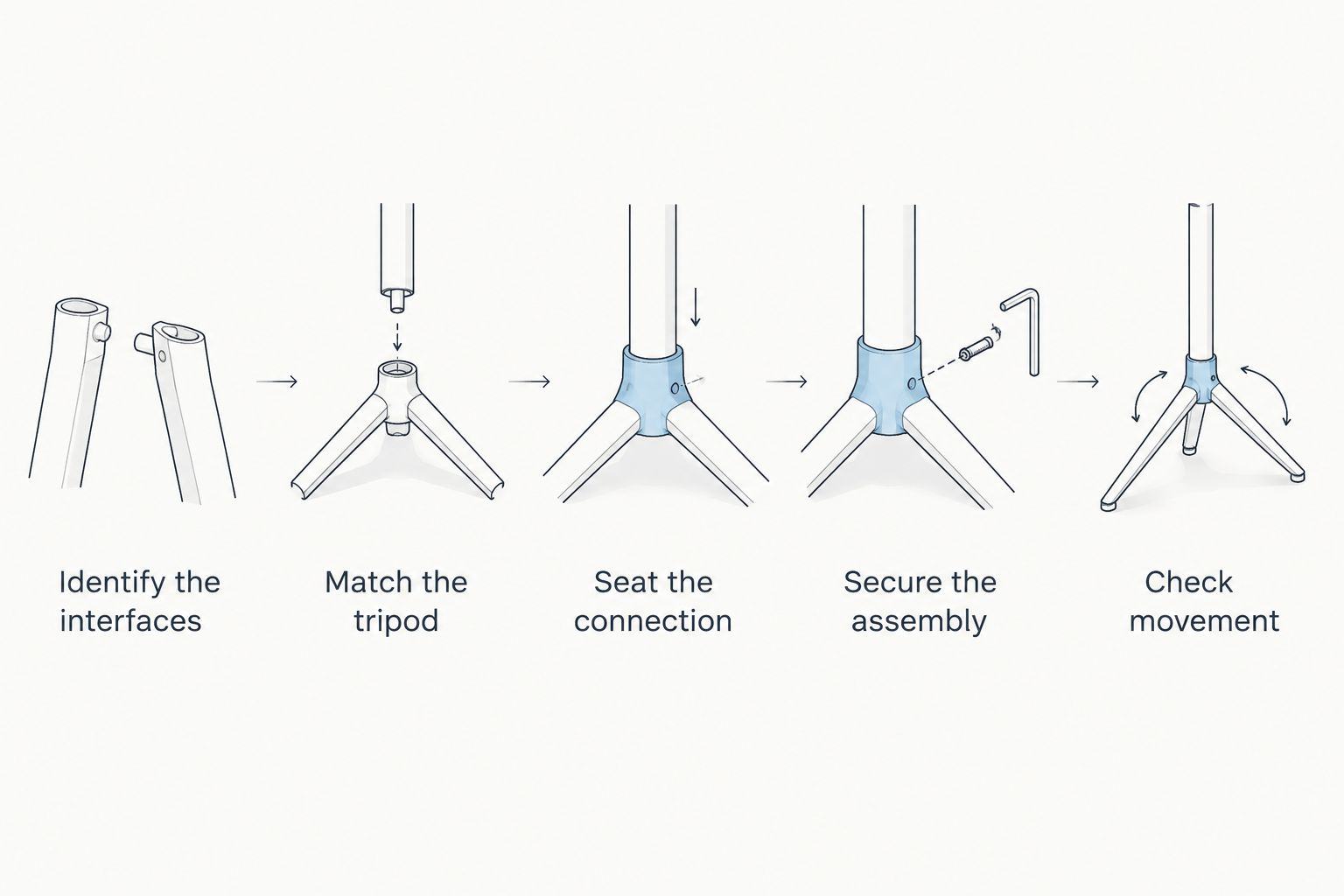
For the installation sequence, see the guide to mounting a Picatinny rail camera on a standard tripod. The basic checks are the same whether you are supporting a compatible camera or another rail-mounted accessory:
- Identify the interfaces. Check whether the accessory has a rail or a clamp that needs a rail. The adapter must provide the matching counterpart.
- Match the tripod. Identify the thread, removable plate, or other connection on the tripod head. Do not assume every photographic mounting connection is interchangeable.
- Seat the connection. Position the rail interface so its mating surfaces engage fully. Where a crossbolt engages a rail slot, check that it sits in the slot rather than against its edge.
- Secure the assembly. Follow the adapter and tripod manufacturers’ fastening instructions. Support the accessory while tightening so its weight does not twist the connection.
- Check movement. With the tripod stable, check each joint separately for sliding, rotation, or rocking. Confirm that the tripod head holds the intended position.
Why this matters
A mounting adapter solves a connection problem. It does not automatically solve a stability problem, and it does not establish that an accessory is suitable for the position you have chosen.
That distinction matters when a small device sits above a tripod head. A loose plate, an incompletely seated clamp, or a poorly balanced accessory can each cause movement, even when the other connections are tight. Find the moving joint before tightening anything further.
For a 2026 equipment purchase, compare the actual interfaces before comparing convenience features. A quick-release lever is useful only after you establish that the clamp, plate, and accessory belong together.
What connects to what?
Think of the mounting chain as separate interfaces rather than one universal fitting. The accessory connects to the adapter, the adapter connects to the head or plate, and the head connects to the tripod support.
These arrangements serve different purposes. None makes an incompatible fitting compatible simply because the parts touch.
| Connection arrangement | Best for | What it does well | Limitation to check |
|---|---|---|---|
| Direct threaded connection | A dedicated setup | Connects the adapter directly to a matching threaded mount | Thread size and usable engagement must match |
| Removable tripod plate | Equipment you remove between sessions | Lets you detach the mounted assembly from the head | The plate must fit that head and lock completely |
| Picatinny rail connection | Accessories designed around a rail interface | Joins the accessory’s rail fitting to its matching counterpart | Rail direction, clamp seating, and fastening method still matter |
A removable plate is not an alternative to checking the adapter’s thread. In many arrangements, the plate attaches to the adapter with a screw, then locks into the tripod head. You therefore have separate connections to inspect.
Likewise, a Picatinny fitting does not identify the tripod-side interface. Read both specifications rather than treating the word Picatinny as a description of the entire mounting system.
Which thread does a tripod adapter use?
Common photographic mounting threads include 1/4-20 UNC and 3/8-16 UNC. The first has a nominal diameter of 1/4 inch with 20 threads per inch; the second has a nominal diameter of 3/8 inch with 16 threads per inch. Those are different connections, not different names for the same fitting.
These common standards do not establish the thread on any particular adapter. Check the individual product specification and your tripod documentation before assembling the parts.
Thread diameter is only part of the check. A fastener must also engage correctly without bottoming out before the mating surfaces meet, and it must not project into a place where it interferes with the accessory.
Never force a screw that resists during initial engagement. Stop, separate the parts, and verify the thread and alignment. Extra force does not correct a mismatched thread.
For a 2026 compatibility check, record the connection at every junction: accessory to adapter, adapter to plate, and plate to head. That short list is more useful than a broad claim that something “fits tripods.”
Why adapter fit and stability vary
The same accessory can behave differently on different support arrangements because the complete mounting chain determines stability. Check these factors before replacing parts:
- Rail interface. A rail and a rail clamp are complementary parts. Identify which one the accessory supplies and which one the adapter must supply.
- Tripod interface. A matching screw thread does not establish that a removable plate fits the tripod head. Verify each connection independently.
- Seating. Mating surfaces must meet correctly. Debris, an obstructed slot, or a mispositioned fastener prevents proper engagement.
- Balance. An accessory positioned away from the support point places a turning load on the connection. Reposition the supported equipment where the mounting system permits.
- Head adjustment. A secure adapter cannot compensate for an unlocked or inadequately supported tripod head. Check the head’s controls and documented limits.
- Support placement. The tripod needs a stable base. Check that its feet and leg locks remain secure before adjusting the accessory.
Do not use a single successful fit check as proof of every other requirement. A clamp that holds the accessory firmly says nothing about whether the tripod head can hold the complete assembly at your chosen angle.
How do you check an adapter without guessing?
Start with the equipment supported and inspect one connection at a time. Keep a hand on the accessory while checking it so an unexpected release does not turn a fit problem into a drop.
Check the rail connection
Look for complete engagement between the matching parts. Confirm that the clamp closes on its intended contact surfaces and that any slot-engaging fastener sits where the manufacturer specifies.
Then check for movement at that connection alone. Hold the adapter steady and gently test the accessory for sliding or rotation. If movement remains, stop and inspect the fit rather than adding force indiscriminately.
Check the tripod connection
Confirm that the adapter or plate sits flush where the design requires it. A screw that feels tight while leaving a gap can be bottomed out or otherwise incorrectly fitted; tightness alone is not proof of a secure joint.
If the head uses a removable plate, verify its locking mechanism separately. Keep the accessory supported until you have confirmed that the plate is fully captured.
Check the complete support
Set the accessory at the intended viewing or operating angle and check whether the head holds position. Watch the joints as you make small adjustments so you can distinguish head movement from movement at the adapter.
Also check cable routing where applicable. A cable should not pull the accessory away from its selected position or interfere with the tripod’s controls. Follow the accessory’s operating instructions before putting the setup into service.
Where does the client’s adapter fit?
The Picatinny Rail to Tripod Adapter sold by Longshotcameras is described as allowing Picatinny rail attachments to mount to a tripod. The product description also explicitly states that the tripod is not included.
Best for: shooters who need to connect an existing Picatinny-compatible accessory to a tripod. Its stated purpose addresses that mounting need; it does not establish compatibility with every accessory, thread, or tripod head.
The useful purchase decision is therefore specific: identify your accessory’s rail interface and your tripod’s connection, then confirm the adapter matches both. Do not infer a load rating, a particular screw thread, or a release mechanism from the product name alone.
Longshotcameras serves shooters shopping for target cameras and related range accessories. Keep the adapter decision separate from the device decision: the mounting connection supports the equipment, while the equipment’s own instructions determine its positioning and operation.
Can a Picatinny adapter fit any tripod?
No—a Picatinny adapter fits only a tripod connection that matches its mounting interface. A direct screw mount requires the correct thread, while a removable-plate arrangement also requires a plate that fits the head. For your 2026 setup, verify the actual connection rather than relying on the phrase “standard tripod.”
Does a tripod adapter make equipment more stable?
An adapter enables mounting; the complete support arrangement determines stability. A properly seated adapter provides a secure connection, but loose leg locks, an unlocked head, or poor balance still allow movement. Check the whole chain, not just the newest component.
Can you mount a camera directly instead?
Yes, when the camera already has a mounting interface that matches the tripod or its plate. A Picatinny adapter is relevant when you need to bridge a rail-style connection, not when the existing connections already match. Avoid adding an unnecessary joint solely because an adapter is available.
FAQ
How does a Picatinny rail to tripod adapter work?
A Picatinny rail to tripod adapter joins a rail-style accessory to a compatible tripod connection. The rail interface secures the accessory, while the tripod interface supports it through the head and legs.
Do I need a rail or a clamp on the adapter?
You need the counterpart to the connection on your accessory. An accessory with a rail needs a compatible clamp; an accessory with a rail clamp needs a compatible rail.
Are all tripod screws the same size?
No, tripod mounting threads are not all the same size. Common photographic connections include 1/4-20 UNC and 3/8-16 UNC, so check the actual specifications before assembly.
Why does my accessory rotate even though the clamp is tight?
Rotation means you need to identify which joint is moving. Check the rail connection, adapter attachment, removable plate, and tripod head separately while supporting the accessory.
Can I use an adapter to increase my tripod’s weight capacity?
No, an adapter does not increase the tripod’s documented load capacity. Check the limits of the tripod, head, plate, and adapter for the complete assembly.
Is a tripod included with the adapter sold by Longshotcameras?
No, the supplied description of the Picatinny Rail to Tripod Adapter explicitly states that a tripod is not included. Confirm that your existing support has a compatible connection before choosing the adapter.
Should I tighten the adapter as hard as possible?
No, follow the manufacturer’s fastening instructions rather than applying maximum force. If the connection remains loose, inspect its fit, seating, and fastener engagement before using it.
One last thing
A tight screw can still leave a loose assembly. The fastener can stop turning before the intended mating surfaces are secured, which is why visual seating and movement checks belong alongside tightening.
Before your next 2026 range session, support the accessory and trace every connection from the device down to the tripod feet. Correct the first point that moves; do not compensate for it by overtightening a different joint.