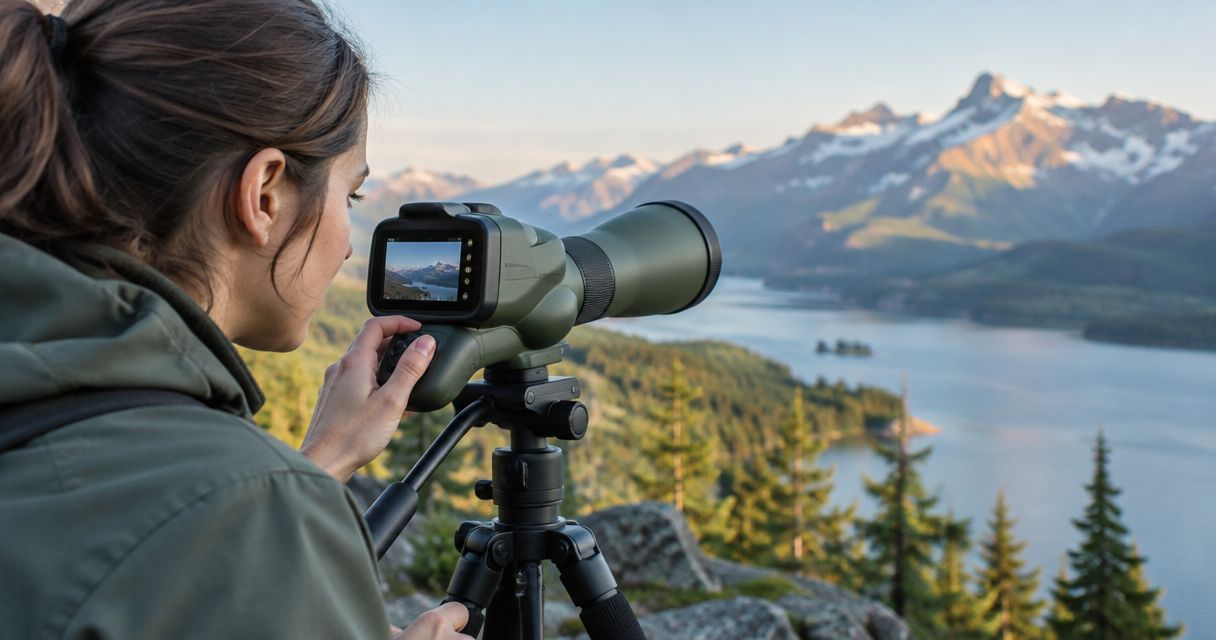
A spotting scope with a built-in camera is worth it when you regularly need to record or share what you see through the scope. It is not automatically a better purchase for spotting bullet holes: recording cannot restore detail that the optics and viewing conditions fail to resolve. For your 2026 purchase, choose around the image you need—not the presence of a camera.
- Is a spotting scope with a built-in camera worth it? Yes for regular recording; not automatically for clearer shot impacts.
- A phone adapter suits occasional digiscoping, but alignment and eyepiece compatibility matter.
- Longshotcameras target cameras suit shooters who want to view impacts remotely rather than record through a spotting scope.
- Compare original recordings and target detail, not digital zoom or enlarged previews alone.
Why this matters
A recording feature and a useful observation system solve different problems. A camera saves an image; the scope, camera alignment, atmospheric conditions, and support determine whether that image contains the detail you need.
Before comparing spotting scopes with built-in cameras, decide whether your priority is observing, documenting, or checking shot impacts. That distinction prevents you from buying an integrated feature when a different camera position would better serve the task.
Is a spotting scope with a built-in camera worth it in 2026?
Yes, if recording is a regular part of your observation routine and the saved footage preserves the detail you need. If you mainly want to see small marks on a distant target, evaluate image quality first and recording convenience second.
These options are not interchangeable. Each puts the camera—or your eye—in a different relationship to the target.
| Option | Best for | Main advantage | Main limitation |
|---|---|---|---|
| Spotting scope with a built-in camera | Frequent recording through one integrated setup | Combines observation and capture in one system | Recording remains limited by the optical view and camera implementation |
| Spotting scope with a phone adapter | Occasional digiscoping with an existing scope | Uses a separate phone for capture | Requires compatible mounting and careful alignment |
| Conventional spotting scope | Observation without recording | Avoids a camera workflow when you do not need one | Does not save footage by itself |
| Downrange target camera | Viewing a fixed target remotely | Captures the target from a nearby camera position | Requires permitted access for placement and retrieval |
The decisive question is not whether a scope includes a camera. It is whether the resulting image answers your question without unnecessary setup or missing detail.
For a 2026 buying decision, ask to see an original saved file rather than relying entirely on a demonstration screen. A clear live preview does not establish the quality of the recording you take home.
Built-in camera: best for regular recording
An integrated camera makes sense when capturing footage is part of the reason you carry a spotting scope. You are choosing a combined observation-and-recording system, rather than adding a camera only when an interesting subject appears.
The advantage is organizational: observation and capture belong to the same device. That does not establish how easy a particular model is to operate, whether it records everything you need, or how you retrieve files. Verify those details before choosing.
The trade-off is that you must accept both parts of the package. Excellent recording controls do not compensate for an optical view that lacks the detail you need, and pleasing optics do not guarantee useful saved footage.
Choose an integrated camera for a repeated recording task, not simply because it adds another feature. Ask whether you would still want the scope if its recording function were removed; that exposes an optics compromise quickly.
Phone adapter: best for occasional digiscoping
A phone adapter is a sensible alternative when you already own a spotting scope and record only occasionally. It connects the phone camera to the eyepiece view, subject to the adapter, phone, and eyepiece fitting together correctly.
Its strength is separation. You can assess the scope as an optical instrument and use the phone for capture when needed. You do not need to choose an entirely different scope just to explore digiscoping.
Its weakness is alignment. An off-center camera, an unsuitable fit, or movement at the connection can interfere with the image. Do not assume a general compatibility statement confirms your exact combination, including any phone case you intend to leave fitted.
Choose a phone adapter when occasional recording justifies the alignment work. If that process becomes an obstacle every session, integration becomes more valuable—but only after the image quality passes inspection.
Conventional spotting scope: best for observation alone
A conventional spotting scope remains a valid choice when you want to look rather than record. You can prioritize the optical view, viewing comfort, focusing controls, and support without evaluating a camera interface or file-transfer process.
The limitation is straightforward: observation does not create a saved record. If you later want photographs or video, you will need a compatible capture method rather than assuming the scope provides one.
For your 2026 shortlist, keep recording separate from observation in your requirements. A feature you rarely use should not outweigh a scope that is easier for you to view through.
Choose a conventional spotting scope when the eyepiece view is the result you actually need. Do not treat the absence of a camera as a defect when recording is not part of your routine.
Downrange target camera: best for remote impact viewing
A target camera changes the camera position rather than adding recording behind a spotting-scope eyepiece. You place the camera near the target and view its image remotely, instead of asking a camera at the firing position to resolve the entire intervening view.
Longshotcameras target cameras are best for shooters who want remote shot-impact viewing rather than through-scope recording. The company describes systems operating at distances up to 2 miles; that is a stated maximum, not a guarantee for every setup or environment.
The limitation is access. You need permission and a safe opportunity to position and retrieve equipment near the target. A camera does not authorize movement downrange or replace range commands and cease-fire procedures.
Explore Longshotcameras if remote target viewing matches your purpose. Confirm the selected system's operating requirements rather than treating the brand's maximum distance as a specification shared by every product.
Why a camera-equipped scope's value varies
The value of a built-in camera depends on the task and the complete viewing setup. These factors matter more than the camera checkbox:
- Recording frequency: Regular capture gives integration a clear purpose. Occasional capture makes a separate adapter worth considering.
- Optical detail: The camera needs a useful image from the scope. Recording an indistinct view does not make it informative.
- Atmospheric conditions: Heat shimmer and haze interfere with distant observation. Enlarging the recorded image does not remove those effects.
- Mounting stability: Movement affects framing and visible detail. Evaluate the scope on the support you intend to use.
- Workflow fit: Focusing, starting a recording, and retrieving files must suit your routine. Check the actual process rather than assuming it.
- Camera position: A scope-mounted camera and a camera near the target observe from different positions. Choose the position that answers your question.
Treat these as purchase criteria, not a scoring contest. A system that records beautifully but cannot be used where you shoot is the wrong system for that location.
How do you check whether the camera is useful?
Use a repeatable inspection before committing to an integrated scope in 2026. Keep the subject and viewing conditions comparable so you can distinguish image quality from presentation.
- Define the task. Write down whether you need a general record, identifiable subject detail, or readable marks on a fixed target. Avoid the vague requirement of wanting a better picture.
- Inspect the view. Focus on the detail that matters to that task. If it is not distinguishable through the optical system, a recording feature alone is not the answer.
- Save a clip. Check the actual recording controls and confirm what the device saves. Do not judge the capture function solely from a live display.
- Review the file. Open the original recording on the device you will normally use. Look for retained detail, stable framing, and a file-transfer process you can repeat.
- Check the setup. Reframe and refocus as you would during a normal session. Identify whether the support, controls, or camera connection makes that routine awkward.
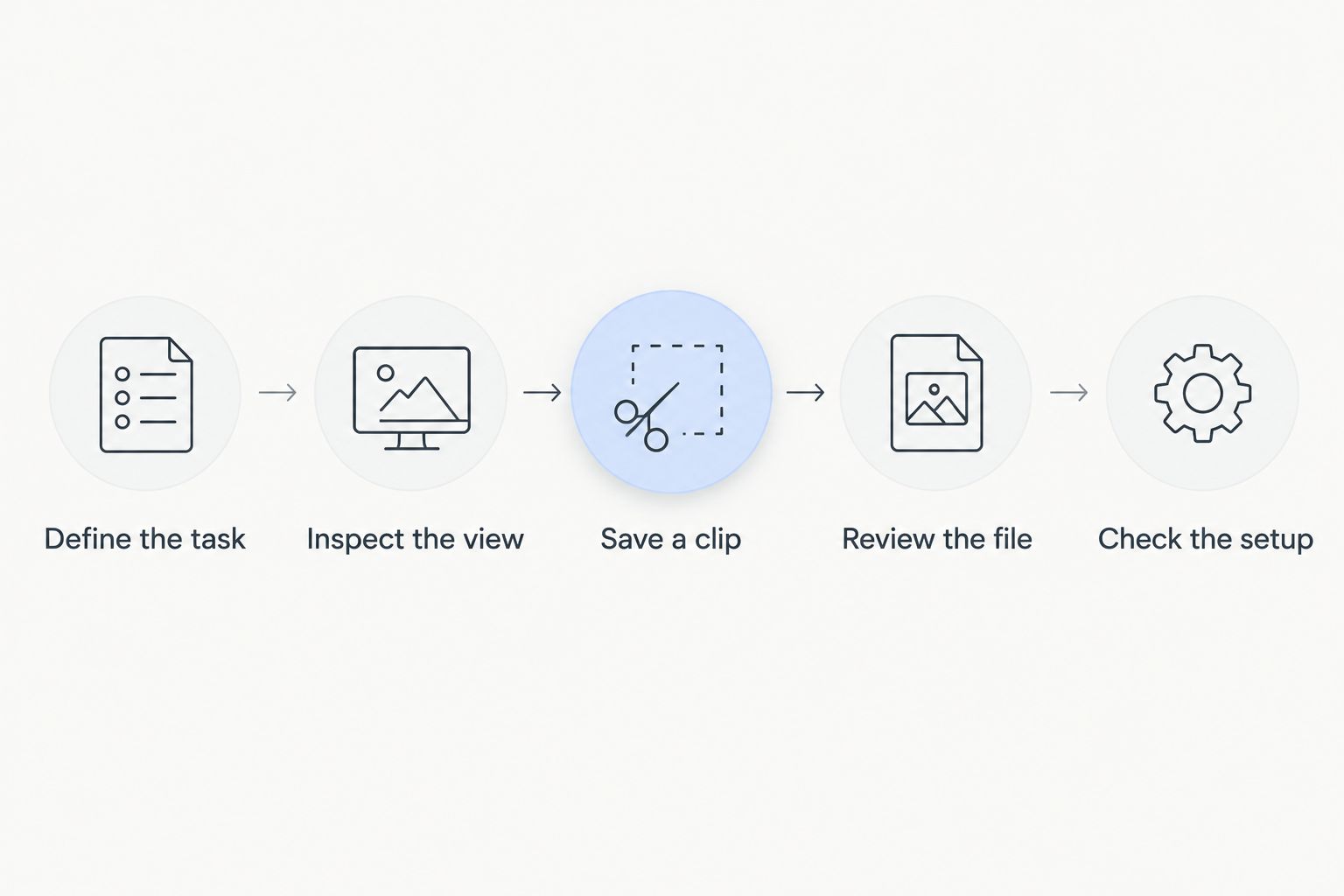
A useful test ends with an answer you can explain plainly: the file shows the detail you need, and the capture process fits your routine. If either part fails, the built-in camera has not justified the choice.
What should you check in the saved footage?
Look at detail before display size. A larger image can make inspection more comfortable without revealing anything the original image failed to capture.
Check the subject area rather than only the center of a demonstration scene. For target observation, ask whether the relevant marks remain distinguishable in the saved file, not merely whether you can recognize the target.
Then check framing. A recording that repeatedly loses the subject or shifts during operation is less useful than a stable, well-framed view, regardless of how impressive its specifications sound.
Finally, verify retrieval. Confirm how the file leaves the device and opens on your intended viewing equipment. In 2026, a camera feature should earn its place through usable results, not just a prominent recording button.
Will a built-in camera make bullet holes easier to see?
A built-in camera does not automatically make bullet holes easier to see. It records an image whose usefulness still depends on optical resolution, focus, contrast, stability, and the atmosphere between you and the target.
If impact visibility is the only problem you are trying to solve, compare camera positions before comparing recording features. A target-side view addresses a different observation problem from filming through a scope at the firing position.
Is a built-in camera better than a phone adapter?
A built-in camera is better for you only when its integrated workflow and recorded image outperform your practical phone-adapter setup. Integration removes the need to arrange a separate phone-to-eyepiece connection, but it does not establish better optics or better footage.
A phone adapter remains a reasonable choice for occasional capture. Test your actual combination before replacing a scope you otherwise like.
FAQ
Is a spotting scope with a built-in camera worth it for occasional use?
A built-in camera is not automatically worth choosing for occasional recording. If you already have a suitable spotting scope, assess a compatible phone adapter before replacing the scope for its camera feature.
Can a spotting scope camera remove heat shimmer?
Recording through a spotting scope does not remove heat shimmer from the optical view. Digital enlargement also cannot recover subject detail that the captured image does not resolve.
Does digital zoom help me identify smaller target marks?
Digital zoom enlarges the captured image rather than guaranteeing additional resolved detail. Judge whether the original recording contains the marks you need to identify.
What is the best option if I only want to watch a target?
A conventional spotting scope suits observation without recording, while a downrange target camera suits remote viewing from near the target. Choose according to the viewing position you need and whether target-side equipment is permitted.
Can a target camera replace every use of a spotting scope?
A target camera does not replace every spotting-scope task. A camera positioned near a fixed target serves a different purpose from a scope you redirect between distant subjects.
What should I verify before buying a scope with a camera?
Verify the optical view, original saved footage, operating controls, mounting requirements, and file-transfer process. The camera is useful only if the complete setup produces the detail you need in a workflow you can repeat.
One last thing
A useful recording starts before you press record: first confirm that the detail you need is actually visible. If the optical view cannot answer your question, saving it only preserves an unanswered question.
For your 2026 purchase, choose the camera position first and the recording feature second. That rule separates a useful observation system from a device with an extra function you rarely need.