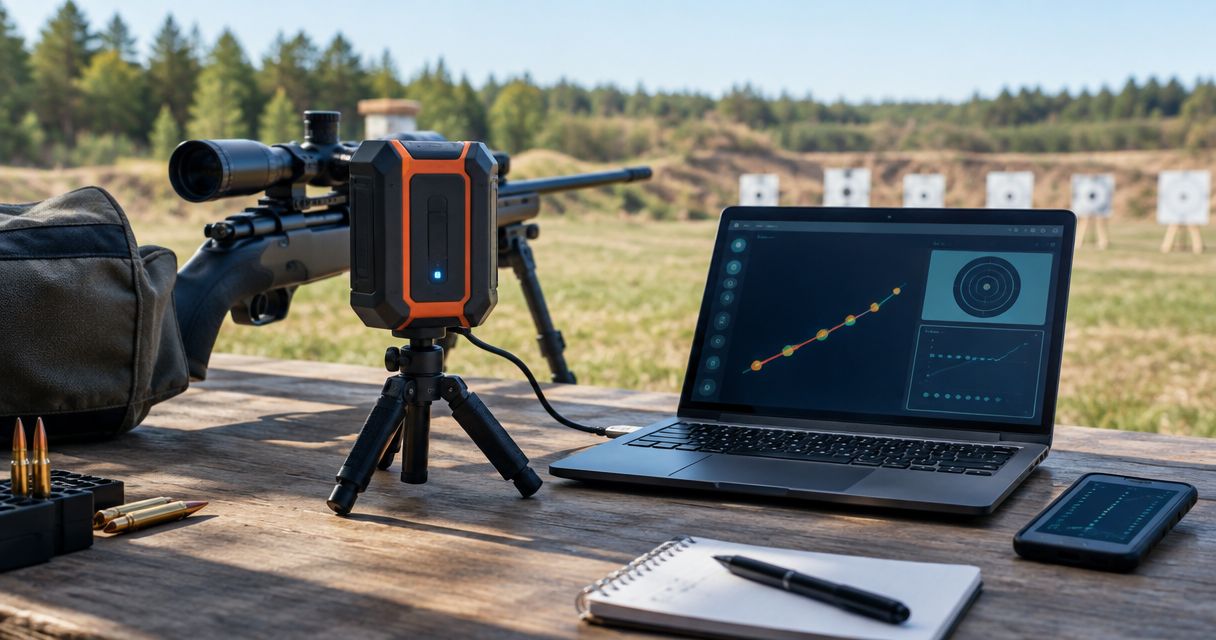
Instead of copying LabRadar LX readings into disconnected notes after every range session, create a shot-string ledger before you shoot and record each reading against a unique shot ID. This 2026 workflow connects velocity records with target observations through a spreadsheet, without depending on an unverified automatic integration.
- Use a manual-first labradar lx workflow: record each velocity against a string ID, shot number, and explicit unit.
- Longshotcameras target cameras suit shooters who want remote impact viewing alongside a separate velocity log.
- Keep missing readings visible; never shift later velocities into earlier shot positions.
- Preserve original readings separately from spreadsheet calculations and target observations.
Why this matters
A velocity reading loses context when you cannot identify the ammunition, rifle, or shot that produced it. A tidy average does not repair a mixed string. Your logging workflow needs to preserve those relationships before it calculates anything.
The LabRadar LX product description identifies velocity measurement as its purpose. Longshotcameras sells target cameras for remote shot-impact viewing. These are separate jobs: a chronograph records velocity, while a target camera helps you observe what happened at the target.
Longshotcameras target cameras are best for shooters who want remote impact viewing alongside a separate velocity log. The benefit is target visibility; the limitation is that an image alone does not establish projectile velocity or automatically match an impact to a chronograph record.
For your 2026 range records, treat matching as a deliberate logging task. Do not assume two devices share shot IDs, timestamps, or data connections.
Before you start
- Prepare the equipment and instructions. Have your LabRadar LX, its current operating instructions, a suitable power arrangement, and the materials needed for the planned range session. Follow the manufacturer's placement and operating directions and the range officer's commands.
- Prepare the destination. Use a spreadsheet you can edit at the range, or a paper ledger for later transcription. Create the fields below before leaving; a cloud account is only necessary if your chosen storage method requires one.
- Plan for a missing reading. A shot fired and a velocity recorded are not the same event. Reserve a row for every shot, including shots without a reading, so one omission does not misalign the rest of the string.
This guide uses spreadsheet labels that you create yourself. Bold labels below refer to those fields, not to claimed LabRadar LX menu names. Use the device's current instructions for its actual controls rather than substituting instructions for another model.
Shot-string ledger
Set up the destination before configuring the shooting session. The ledger is the common reference for chronograph readings, ammunition notes, and target observations.
- Create a workbook named 2026 Range Log. Add sheets named Shots, Strings, and Notes. Keep individual readings in Shots and summaries in Strings.
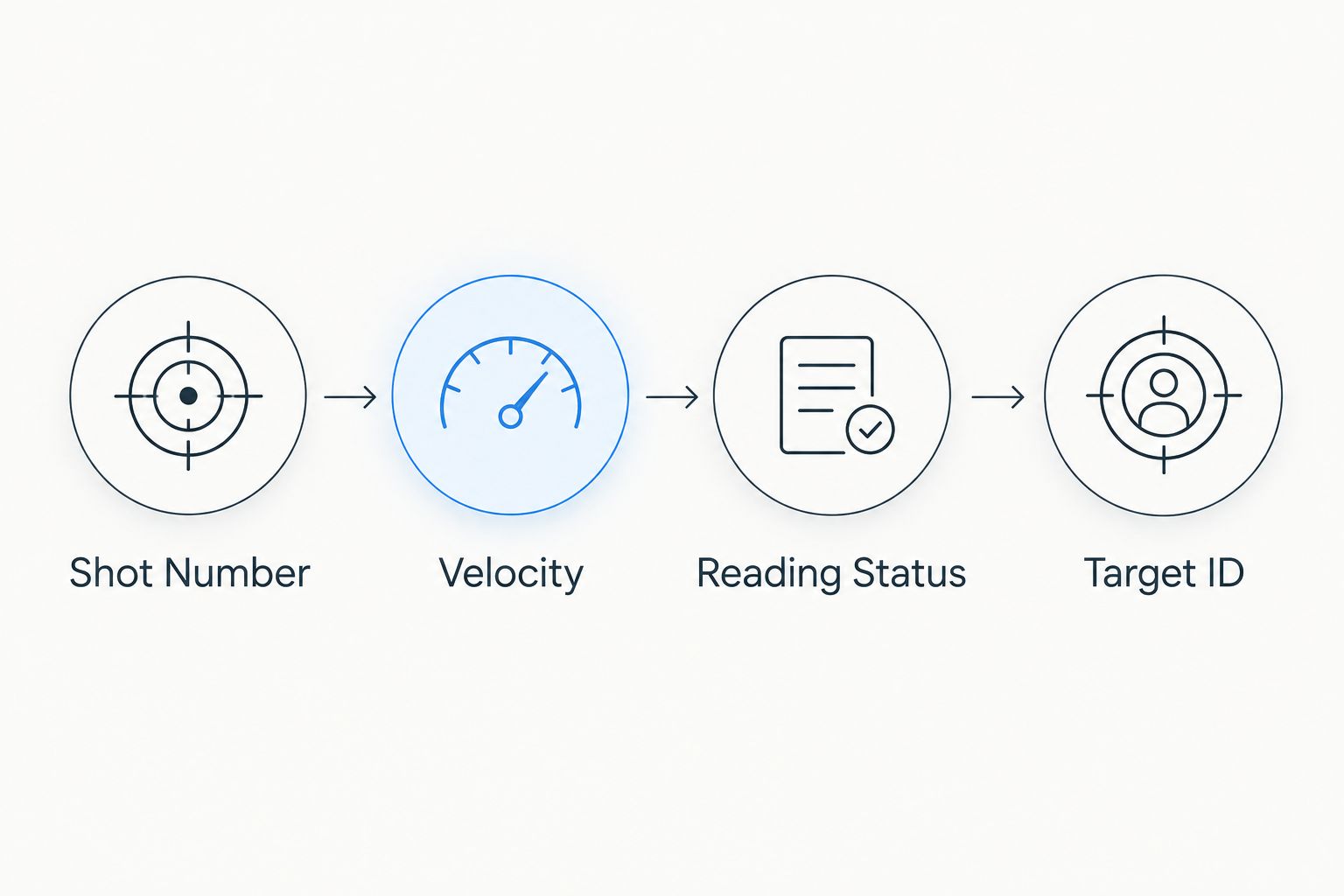
- In Shots, create Session ID, String ID, Shot Number, Rifle ID, Ammunition ID, Velocity, Velocity Unit, Reading Status, Target ID, and Observation.
- Give each ammunition condition a distinct String ID. Do not reuse a string when you change the rifle, ammunition identity, or another condition you intend to compare.
- Set Velocity Unit explicitly to fps or m/s, matching the displayed reading. Keep the numeric Velocity field free of text so spreadsheet calculations can use it.
- Add Recorded, Missing, and Excluded as your own Reading Status choices. Require a written explanation in Observation whenever you exclude a recorded reading.
For a planned 10-shot string, reserve 10 shot rows. That is a logging example, not a required test size or a promise of statistical certainty. Choose your actual session plan separately.
Expected result: every planned shot has an identifiable place, and every velocity has an explicit unit. You can distinguish an absent reading from a deliberate exclusion without reading between the lines.
Choose your entry method
Use the simplest method that preserves the original reading and its identity. The choices below describe record handling, not a claim that the LabRadar LX provides a particular export feature.
| Method | Best for | Advantage | Limitation |
|---|---|---|---|
| Manual ledger entry | Shooters establishing a dependable baseline | Works without a device-to-spreadsheet connection | Requires transcription and checking |
| File-based import, when supported by your documented setup | Shooters handling an existing machine-readable file | Avoids retyping individual values | Requires checking units, column mapping, and row order |
Start with manual entry until you have verified the complete file-based path on your own setup. A successful connection is not proof that the correct shot records reached the correct spreadsheet rows.
Measurement setup
Configure the LabRadar LX using its current instructions, then establish how you will identify the session in your ledger. Keep equipment setup separate from spreadsheet assumptions.
- Position and operate the LabRadar LX according to the manufacturer's instructions. Confirm that the equipment arrangement complies with range rules and does not obstruct safe firearm handling.
- Enter the rifle and ammunition identifiers in your ledger before recording measurements. Use an ammunition lot identifier when you have one; otherwise, enter a consistent description that distinguishes the ammunition being used.
- Confirm the velocity unit shown by the device. Match that unit in Velocity Unit before entering the first reading.
- Record the device's session or series identifier if your setup provides one. If it does not, use your own String ID consistently in the ledger and supporting notes.
- Establish the start condition. Note whether the first recorded shot belongs to the intended string or to a separate preliminary check; do not quietly combine different activities.
Expected result: the device and ledger refer to the same shooting session, and the ledger states the unit actually being recorded. Your first measurement has a defined destination rather than becoming an unlabeled number.
For a 2026 session, include the session date in Session ID and retain the full date in Notes. A year alone is not enough to distinguish separate range visits.
Shot capture and target matching
Record the firing sequence independently of whether the chronograph produces a reading. This is the step that prevents a missed measurement from corrupting target matching.
- Assign the next Shot Number to the shot being recorded. Keep that number tied to the firing sequence, not to the count of successful velocity measurements.
- Enter the displayed value in Velocity, then set Reading Status to Recorded. Copy the value as shown; do not round it during transcription.
- If there is no reading, leave Velocity blank and choose Missing. Do not enter 0 fps: zero is a numeric measurement, not a missing-data marker.
- Enter the target reference in Target ID. Record an impact observation only when you can identify the corresponding shot; otherwise, state that the match is unresolved.
- At the end of the string, compare the firing count, ledger rows, and available chronograph records. Resolve discrepancies before starting another string.
Expected result: a missing velocity leaves a visible gap without changing later shot identities. Target observations remain attached only where the association is known.
If you use a Longshotcameras target camera, treat its view as a separate observation source. Do not infer automatic shot matching from the fact that both devices are operating during the same session.
Record checks and archive
Check the underlying rows before calculating summaries. A spreadsheet can produce a plausible result from the wrong units or a mixed set of shots.
- Filter the ledger by String ID. Confirm that the rifle and ammunition identifiers are consistent across the intended comparison group.
- Count the rows marked Recorded separately from the shots fired. Report both counts whenever missing readings affect the string.
- Calculate mean velocity and extreme spread from the eligible numeric readings only. Extreme spread is the highest included velocity minus the lowest included velocity; label the result with the same unit.
- If you calculate standard deviation, state whether you used a sample or population calculation. Use the same convention across comparisons and retain the individual readings.
- Preserve 2 files: an unchanged source record and a working analysis copy. For manual entry, the source record can be a photograph or scan of the original ledger; retain any original device file separately when one exists.
Expected result: another reader can trace each summary back to its included readings and identify every missing or excluded measurement.
Use filenames that include the session and string identifiers. For example, a 2026 archive should distinguish the original record from later analysis without relying on a file's last-modified date.
Add later strings without overwriting earlier records
The adjacent workflow is an ongoing log: each new string becomes an append-only addition rather than an edit to the previous session. Use it when you revisit the same rifle and ammunition combination.
- Create a new String ID even when the equipment and ammunition description are unchanged.
- Copy descriptive fields into the new rows, but leave Velocity, Reading Status, and Observation empty until recorded.
- Add a new row to Strings after checking the underlying measurements.
- When correcting an earlier transcription error, preserve the original entry in Notes and explain the correction.
For file-based handling, import into a separate staging sheet first. Map the source columns to your ledger fields, confirm the velocity unit, and reconcile row counts before appending anything to Shots. Do not assume a file's first data row represents the first shot fired.
Expected result: your history grows without replacing earlier evidence. Comparisons remain traceable to specific range sessions rather than an ever-changing summary cell.
Troubleshooting
The shot count exceeds the velocity count
Keep all shot rows and mark absent readings Missing. Reconcile the device records and your notes; never move later velocities upward merely to remove blank cells. Investigate measurement setup using the manufacturer's troubleshooting instructions before continuing.
Imported values arrive as text
Check the delimiter, decimal separator, and any unit text attached to values. Work on a copy before converting the column. Confirm several converted cells against the original record, especially where punctuation changed during import.
One string contains different velocity units
Separate the original values by unit before calculating a summary. If conversion is necessary, add a clearly labeled converted column and retain the originals. Never relabel m/s values as fps without converting them.
A target impact cannot be matched to a shot
Leave the relationship unresolved. Overlapping impacts, uncertain observation timing, or an interrupted sequence do not justify assigning an impact by guesswork. Continue recording velocity independently and begin a new clearly identified target sequence when appropriate.
A reading looks unusual
Check transcription, units, ammunition identity, and the original measurement record first. Do not delete a value simply because it changes the average or extreme spread. If you exclude it for a documented reason, retain it with Excluded status and the explanation.
Customize your workflow
Expand the record only after the basic sequence works. Useful additions include environmental observations, target distance with an explicit unit, and a reference to a saved target image. Distinguish measured conditions from estimates in your notes.
For example, enter 100 yards rather than an unlabeled 100 when that is the actual target distance. Keep distance separate from velocity; a unit label should never depend on remembering what a column meant last month.
Add remote impact viewing with the guide to connecting a Longshot camera to the Longshot app. The camera setup supports the observation side of the workflow, while the shot ledger remains the record that links observations to velocity.
Finish the 2026 workflow with a reconciliation habit, not another device: check shot counts, units, and unresolved matches before packing away the source records.
FAQ
What's the simplest way to log LabRadar LX shot strings?
Use a spreadsheet or paper ledger with a string ID, shot number, velocity, and explicit velocity unit. Reserve a row for every shot, including shots without a recorded velocity.
Does this workflow automatically sync LabRadar LX readings to a spreadsheet?
No. This workflow uses manual entry as its baseline and describes file-based handling only when your documented setup supports it. Verify the actual transfer method before relying on an import.
Can a Longshotcameras target camera replace a chronograph?
No. Longshotcameras target cameras provide remote impact viewing, while the LabRadar LX measures velocity. Keep those records separate until you establish a reliable shot-by-shot match.
Should I enter zero when the chronograph misses a shot?
No. Leave the velocity blank and mark the shot as Missing. A zero would be treated as a measurement and would distort calculations that include it.
What's the difference between extreme spread and standard deviation?
Extreme spread is the highest included velocity minus the lowest included velocity, while standard deviation describes dispersion around the mean. Keep the calculation method and velocity unit consistent when comparing strings.
How many shots should I include in a string?
Choose the shot count for your measurement purpose and record both shots fired and valid velocity readings. The 10-shot example in this guide demonstrates ledger organization, not a universal testing requirement.
Should I delete an unusually high or low velocity?
No, not merely because it looks unusual. Check the original record and retain any excluded reading with a documented reason so the analysis remains traceable.
One last thing
A blank velocity cell can be more useful than a neatly filled row. When its shot number and missing status remain intact, it preserves the sequence; an invented replacement value destroys that evidence.
Before ending a session, check the gaps first. They show exactly where your conclusions need limits.